Struggling with opening an overseas bank account? This guide shares the OCBC bank account opening process and lessons learned, helping you achieve zero cost, same-day account opening. Whether you're a student, overseas worker, or cross-border entrepreneur, this detailed guide will help you.
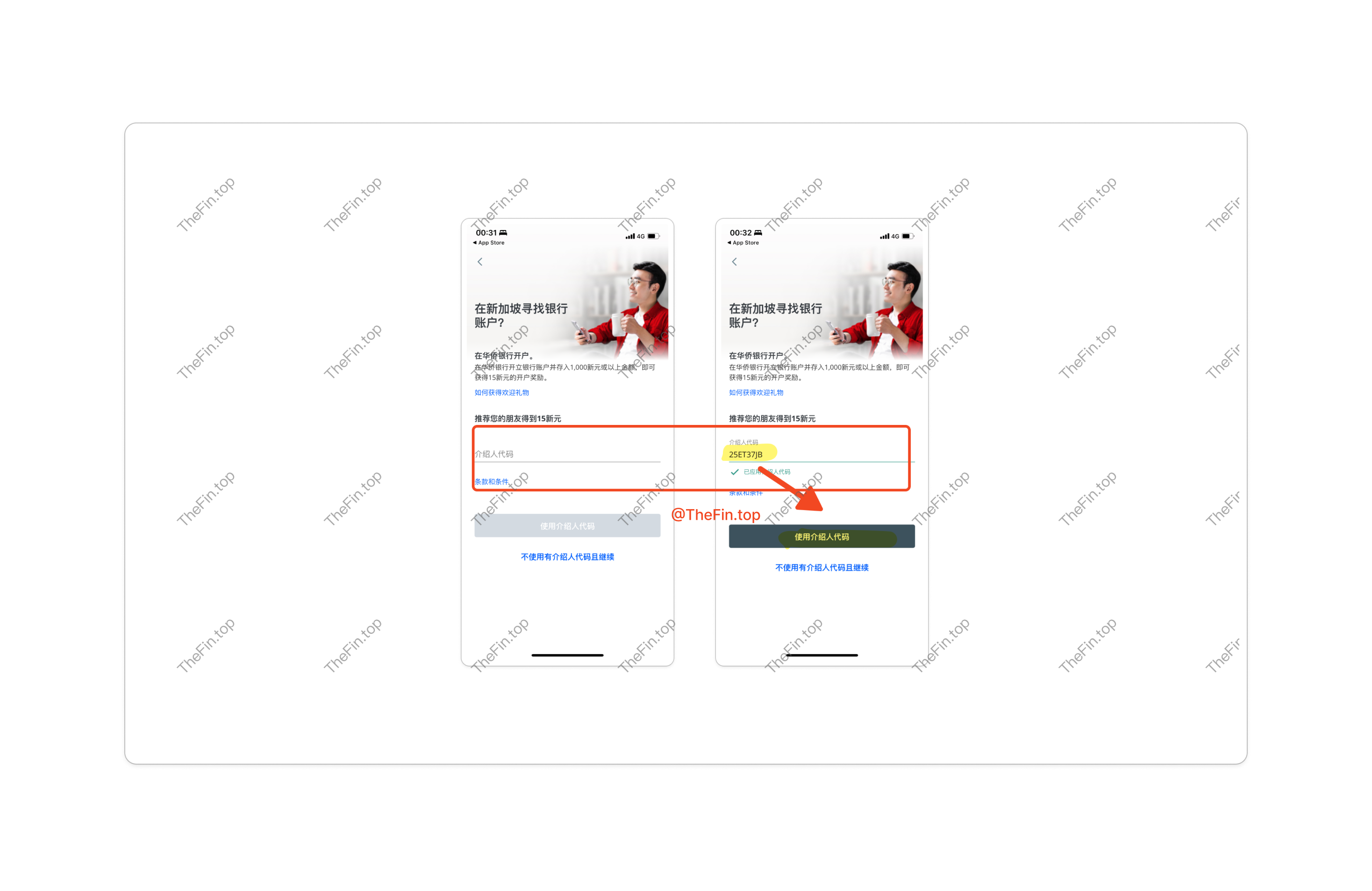
If you find this article helpful, you can use my referral code 25ET37JB to open an account, and we'll both receive 15 SGD.
Why Choose OCBC
OCBC Bank is Singapore's second-largest financial services group and one of the world's highest-rated banks (Moody's Aa1, S&P AA-, Fitch AA-).
For overseas users, OCBC's advantages include:
- No travel required: Open an account from mainland China without visiting Singapore
- Simple process: Just download the OCBC Digital app, only passport needed, no additional documents
- Fast processing: Same-day account opening, no appointment needed
- Low threshold: Only 1000 SGD required to activate, no proof of funds needed
- Investment options: USD fixed deposit rate of 4.9%
Required Documents
Before starting, prepare the following:
- Passport: Even a blank passport works
- Phone: With NFC capability to read passport chip
- Phone number: Chinese phone number works
- Email: Both Chinese and overseas email addresses work
Account Opening Process
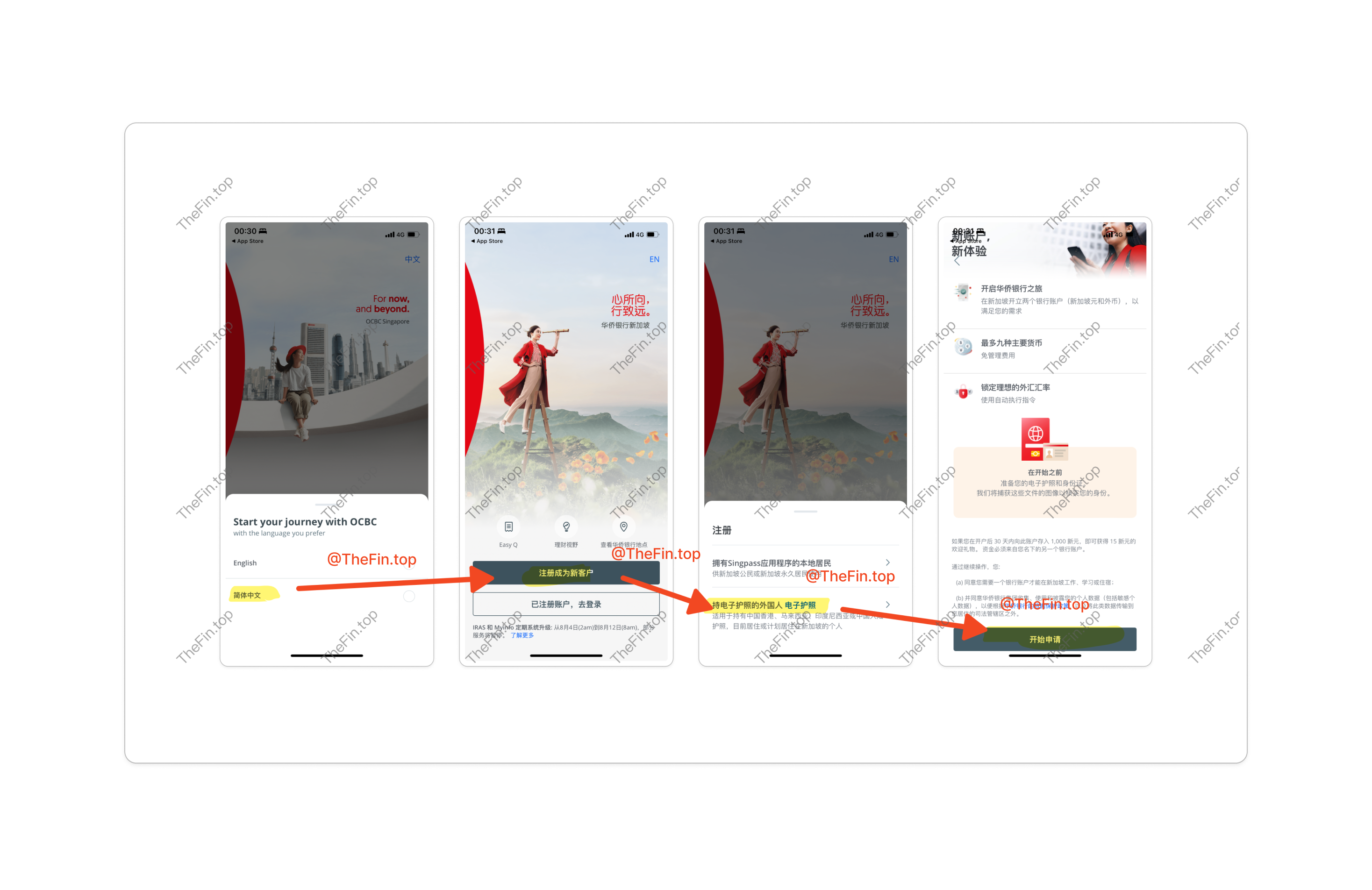
First, download the OCBC Digital app from your app store:
The OCBC app offers a "Simplified Chinese" option. Select "Register as new user", then choose "Foreigner with e-Passport", and click "Start Application".
This option is for holders of Hong Kong, Malaysian, Indonesian, or Chinese mainland passports. Singapore citizens or permanent residents can choose "Local resident with Singpass app".
Enter the referral code 25ET37JB in the "Referral Code" field and click "Use Referral Code". This increases your approval chances and earns you a 15 SGD (about 75 RMB) bonus.
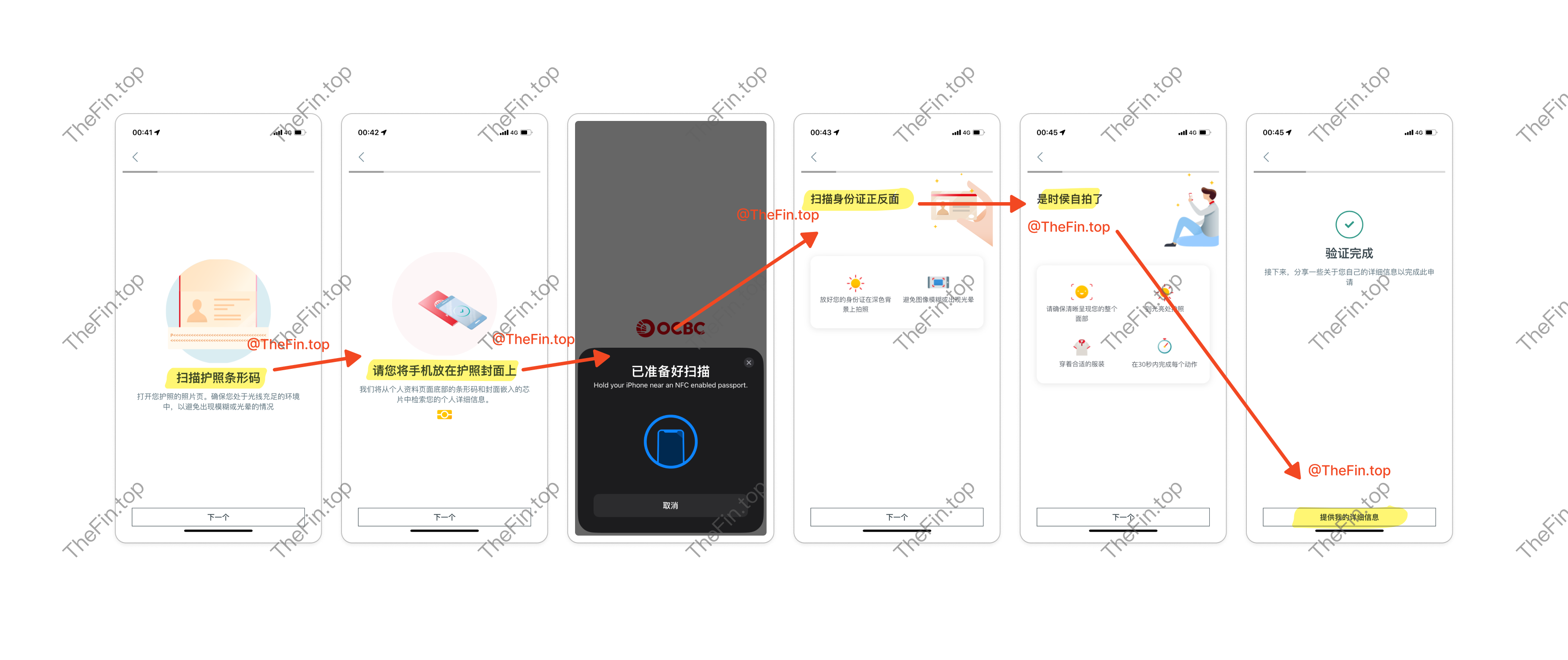
Next comes passport scanning, ID verification, and selfie verification. Make sure your phone supports NFC.
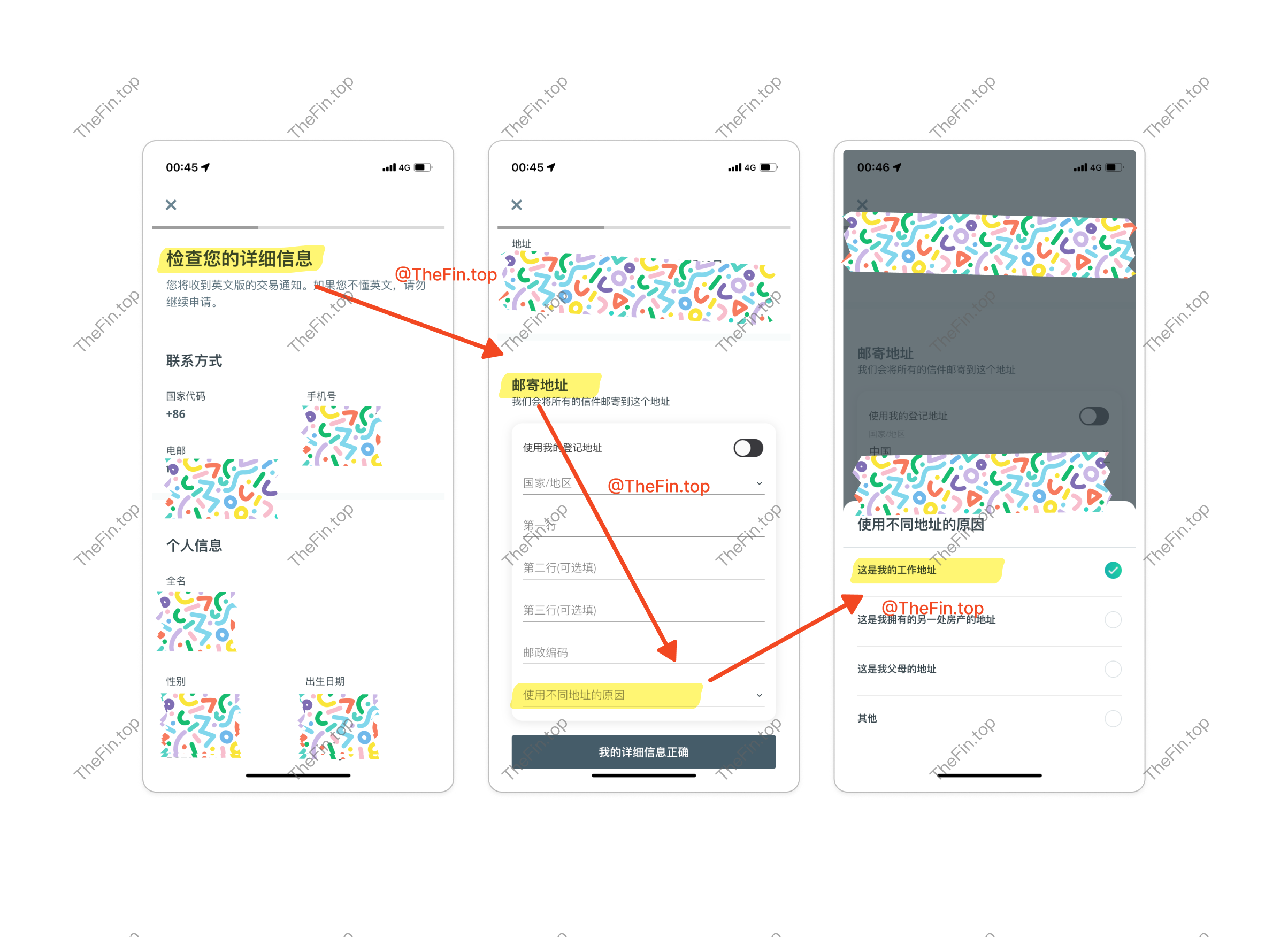
After verification, enter your detailed information.
First, confirm your basic information. If your address differs from your ID, enable the Mailing Address option and enter your current address. Chinese is fine - it will auto-translate to English. Make sure the address is correct, as a physical card will be mailed there after account approval.
Next, enter employment information based on your situation. I selected "Employed" and filled in other details. Note: For "Source of Funds", it's best to select salary.
Then enter tax residency information, select "China", and use your ID number as the Tax Identification Number.
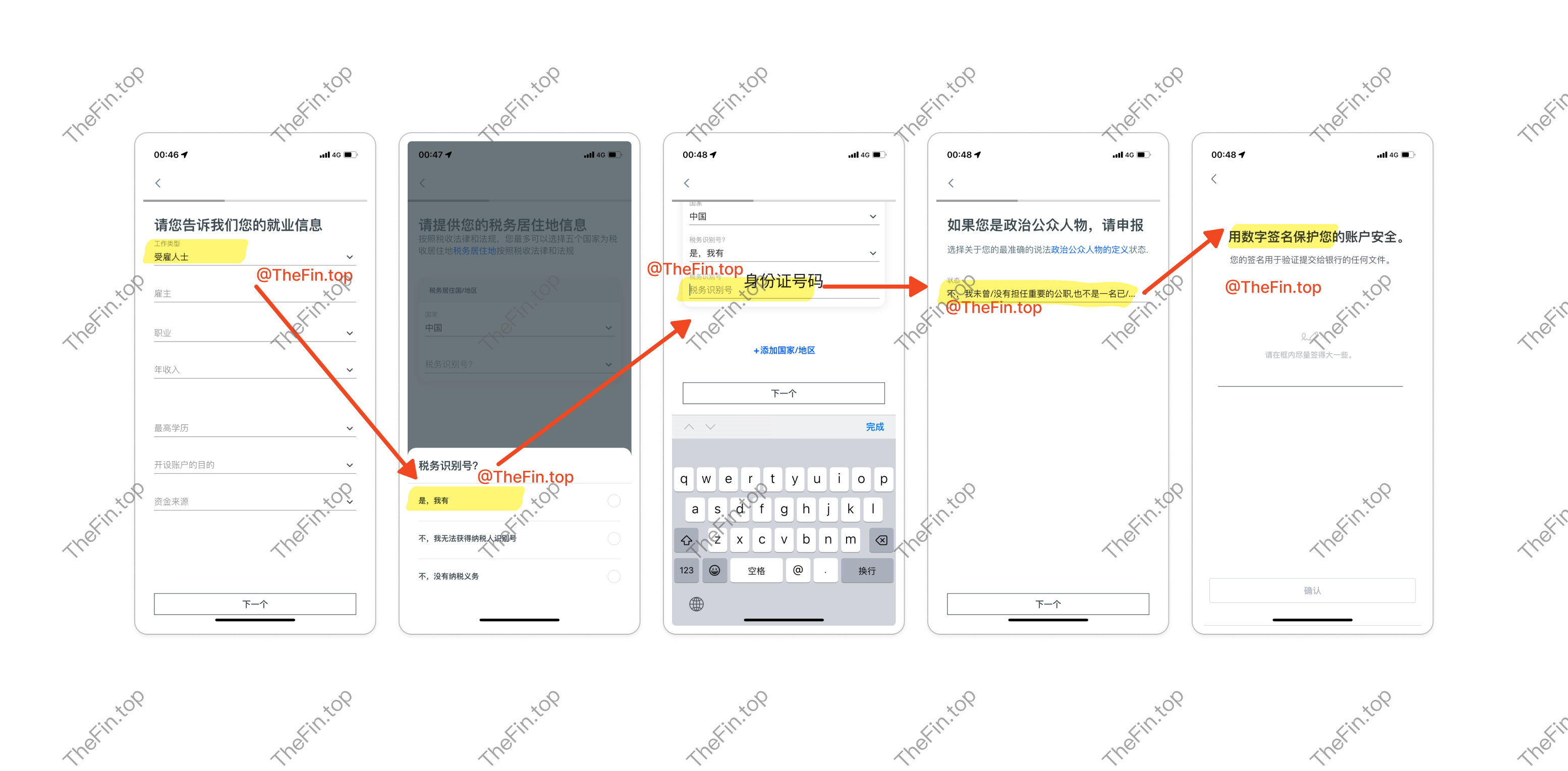
Finally, review your information, provide a digital signature, and you're done!
I'll write another article about how to use the OCBC app for transfers, deposits, and other operations.